


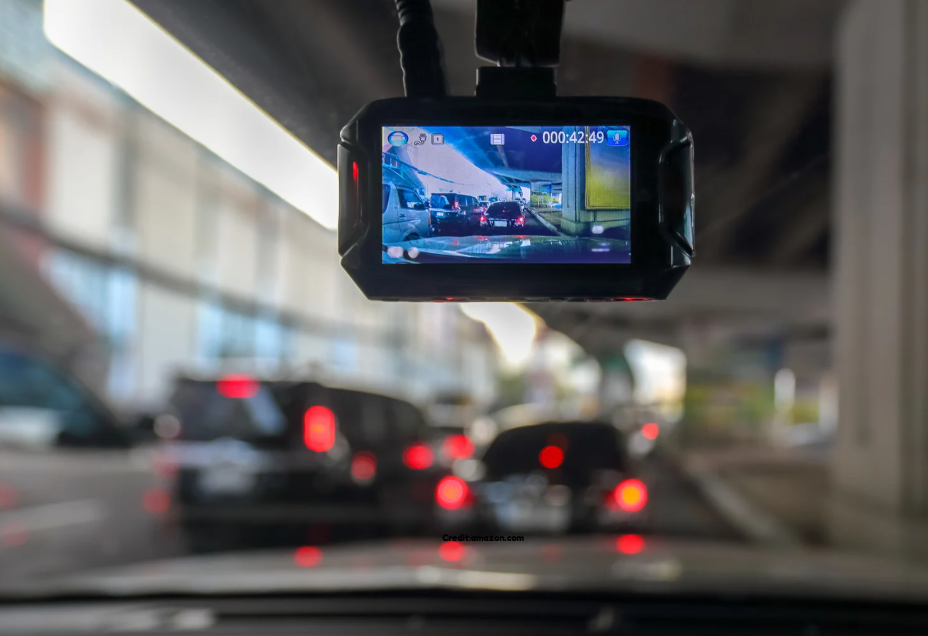
I remember the first time I left my car parked overnight with a dash cam on.
I kept checking the window, worried the battery would die. If you feel the same, you are not alone. Parking mode sounds great, but it can be confusing.
I have tested it, used it, and learned from a few mistakes. Let me explain it like we are sitting together, talking about cars and real life.
Parking mode can protect your car when you are not there. It can also drain your battery if you are not careful. This guide will help you understand both sides. I will keep it simple. No tech talk. Just clear answers.
What Is Dash Cam Parking Mode
Parking mode lets your dash cam watch your car when the engine is off. It works when the car is parked. The camera stays alert for movement or bumps.
If something happens, it records a short video.
Think of it like a quiet guard dog. It sleeps most of the time. When it hears a noise, it wakes up and looks around. That is how parking mode works.
I like this feature because cars can get hit or scratched anytime. It happens in parking lots, streets, and even driveways. Parking mode gives proof when you are not there.
How Dash Cam Parking Mode Works
Parking mode works in a few simple ways. The camera waits for a trigger. A trigger can be motion near the car or a small impact. Once triggered, the camera starts recording.
Some dash cams record all the time but at a low frame rate.
Others only record when something moves. Both types have good and bad sides.
When I tested motion detection, I noticed it worked best in open areas. In busy streets, it triggered often. Impact detection felt more reliable for hits and bumps.
The key thing to know is power. The camera still needs power even when the car is off.
Power Source for Parking Mode
Most dash cams use your car battery for parking mode. They get power through a hardwire kit or a car charger that supports it.
Some dash cams also have a small built-in battery.
Built-in batteries are weak. They last minutes, not hours. I learned this fast. They are only for saving files, not long parking use.
Hardwiring connects the camera to the fuse box. This gives steady power. It also lets the camera know when the car is off.
This is the most common setup in the USA.
Some people use an external dash cam battery pack. This is a separate battery made for cameras. It protects the car battery.
Does Parking Mode Drain the Car Battery
Yes, parking mode can drain the battery. This is the biggest worry people have. I had the same fear.
The amount of drain depends on the camera and settings. Motion-only mode uses less power. Continuous recording uses more.
If your car battery is old, the risk is higher. Cold weather also makes batteries weaker. I once had trouble starting my car after a cold night with parking mode on.
The good news is that most modern dash cams have battery protection features.
Battery Cut-Off and Voltage Protection
Many dash cams come with a low-voltage cut-off. This feature stops the camera when the battery drops too low. It saves enough power to start the car.
You can set the cut-off level. Higher settings mean less risk but shorter recording time. Lower settings give longer coverage but more risk.
I always set mine on the safe side. Missing a clip is better than a dead car. This one setting can save you a lot of stress.
How Long Can Parking Mode Run Safely
There is no single answer. It depends on your battery size, battery health, and camera type. On average, parking mode can run from 6 hours to 48 hours.
With a new battery and motion detection, you may get a full day. With continuous mode, you may get less than half a day.
When I tested it, motion mode gave me overnight coverage without issues. Continuous mode drained too fast for my comfort.
External battery packs can extend this time by days. They cost more but add peace of mind.
Is Dash Cam Parking Mode Safe for Your Car
When set up right, parking mode is safe. Problems happen when people skip protection features. Hardwiring without voltage cut-off is risky.
Modern cars have many electronics. A drained battery can cause warning lights and system resets. I saw this happen once and it was annoying.
Using the right kit and settings keeps your car safe. Follow the instructions and avoid cheap cables. Safety starts with proper setup.
Parking Mode and Car Warranty Concerns
Many people worry about warranty issues. This is a common fear. In most cases, hardwiring a dash cam does not void the warranty.
The key is how it is done. Using a fuse tap is standard practice. It does not damage the car.
I still suggest professional install if you are unsure. A clean install looks better and avoids mistakes. Peace of mind is worth it.
Motion Detection vs Impact Detection
Motion detection records when something moves near the car. This can include people, animals, or passing cars. It can trigger often in busy areas.
Impact detection records when the car feels a shock. This works well for door dings and hit-and-runs.
I prefer using both together. Motion catches the approach. Impact catches the hit. Together, they tell the full story.
Adjust sensitivity to avoid false alerts. Too high can fill your memory card fast.
Memory Card and Storage Concerns
Parking mode uses storage space. Short clips add up over time. A high-quality memory card is important.
Use cards made for dash cams. Regular cards wear out faster. I learned this after losing footage.
Format the card often. This keeps it healthy. A full card means missed events.
Larger cards help if you park in busy areas. Storage matters more than people think.
Parking Mode at Home vs Public Places
At home, parking mode may not be needed all the time. In a garage, the risk is low. I often turn it off at home.
In public places, it shines. Parking lots and streets are unpredictable. That is where parking mode proves its value.
Some dash cams allow scheduled parking mode. This saves battery when you know it is safe.
Legal and Privacy Thoughts in the USA
In the USA, dash cams are legal in most states. Recording video in public spaces is generally allowed.
Audio recording laws vary by state. I recommend turning audio off to be safe.
Parking mode records what happens around your car. It does not spy on people. Use common sense and respect privacy.
Night Recording and Parking Mode
Night footage depends on the camera sensor. Good low-light performance matters.
Some cameras use infrared or special night modes. These help in dark parking lots.
Street lights also help. I noticed better results near lights. Position the camera well for best view.
Heat, Cold, and Parking Mode
Extreme heat and cold affect dash cams. Heat can damage batteries. Cold reduces battery power.
In hot states, use capacitor-based dash cams. They handle heat better.
In cold states, set higher voltage cut-off. This protects the battery. I adjust settings with the seasons.
Is Parking Mode Worth It
For me, yes. I have caught door dings and close calls. It gave me proof when I needed it.
If you park in safe areas, you may not need it all the time. If you park in busy places, it is worth it.
The key is balance. Protect your car without harming the battery.
Common Mistakes I See People Make
Many people skip reading the manual. They use default settings and hope for the best.
Others use cheap memory cards or cables. This causes failures.
Some forget to check footage. A camera only helps if it works. Test it once in a while.
Learning from others saves trouble. I learned the hard way so you do not have to.
Tips to Reduce Battery Drain
Small changes make a big difference. Use motion mode instead of continuous recording.
Set a safe voltage cut-off. Turn off Wi-Fi when parked.
Consider an external battery if you need long coverage. These tips helped me a lot.
Dash Cam Parking Mode for Electric and Hybrid Cars
Electric and hybrid cars have different systems. Some support parking mode well. Others are sensitive to drain.
Check your car manual. Some EVs turn off power ports when parked.
External battery packs work best here. I always recommend extra care with EVs.
Choosing the Right Dash Cam for Parking Mode
Not all dash cams are equal. Look for reliable parking mode features.
Good voltage protection is a must. Clear night video is important.
Read real user reviews. I trust feedback from long-term users more than ads.
Choose quality over price. A cheap camera can cost more later.